
Buying CS2 Skins Safely: the Complete 2026 Guide
Almost nobody loses an inventory to a sophisticated hack. They lose it to a login page that looked right, an API key they forgot they authorized, or a "marketplace" that existed for six weeks. The buyer-side threat model in CS2 is small, well-documented, and almost entirely defeatable with habits — no security expertise required. Here's the whole catalog, and the defense for each entry.
The threat model: what actually goes wrong for buyers
Strip away the variations and buyer-side losses come from four sources: fake sites that harvest your Steam login, hijacked Steam Web API keys that silently redirect your trades, impersonation scams that talk you into "verifying" items away, and platforms that take your money and don't deliver — either by fraud or by collapse. The full scam catalog dissects each family in detail; this guide focuses on what a buyer specifically should do about them.
Notice what's not on the list: buying a skin at a fair price on an established marketplace and having it "not work." That essentially never happens. Items are items; the danger is entirely in the access layer — your login, your keys, your trade confirmations — and in venue selection. Secure those and buying skins is about as risky as buying anything else online.
Defense layer one: your account
Every scam that touches your Steam account runs through the same few doors. Close them:
- Steam Mobile Authenticator, always. Trade and market confirmations on your phone are the single highest-value protection you have. Without the authenticator you also eat longer trade holds, so this one is free in every sense.
- Type the domain, or use your own bookmark. The classic phishing funnel is a search ad or Discord link to a pixel-perfect clone of a marketplace login. Never enter Steam credentials on a page you reached from a link someone else chose. Real Steam OpenID login happens on steamcommunity.com — check the address bar, not the design.
- Audit your Steam Web API key. If you've ever authorized one on a site you don't remember, revoke it. A hijacked API key lets a scammer cancel your real trades and substitute lookalike bots — the mechanism behind most "my items vanished mid-trade" stories. API key hygiene for CS2 tools covers what a legitimate tool should and shouldn't ask for.
- Treat urgency as a red flag in itself. "Your items will be deleted, verify with our admin" and every variant of it is a script. Valve staff will never contact you through a trade, a Discord DM, or a friend request. Anyone who does is reading from the same playbook.
Defense layer two: venue selection
The second loss category isn't trickery — it's giving money to the wrong platform. New marketplaces appear constantly, and some undercut everyone for a few weeks precisely because the exit was the business model. The defense is boring: buy on venues with years of track record, real dispute resolution, and visible volume. The 2026 safety shortlist is short, and that's the point.
Before trusting any venue with more than pocket change, run it against the red-flag checklist: anonymous operators, prices dramatically below every established market, discount theater ("90% off" against invented reference prices), withdrawal complaints piling up on Trustpilot or Reddit, deposit bonuses that lock your balance. Any one of these is a reason to leave; two is a verdict.
And on any venue, established or not: keep balances thin. A marketplace balance is an unsecured loan to a company you can't audit. Top up what you're about to spend, spend it, and don't warehouse money there — counterparty risk doesn't announce itself in advance.
Defense layer three: the transaction itself
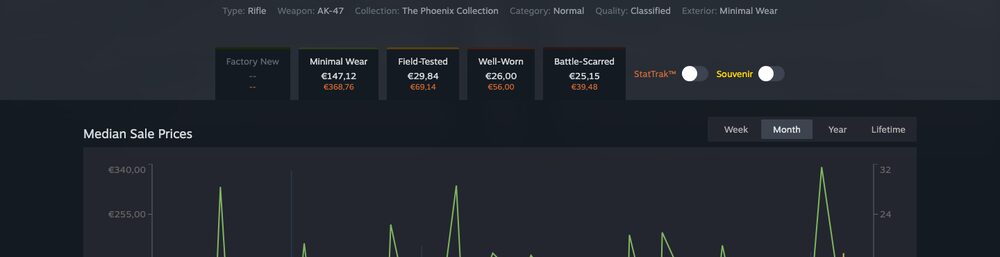
Modern trades have more protection than the scam-era folklore suggests — Valve's trade protection changes added reversal windows that blunt several old attack patterns — but the buyer still owns three checks. First, verify the exact item: full name, wear, float, pattern if it matters, on the inspect link — not the thumbnail. Lookalike substitution (a Minimal Wear swapped for a Field-Tested, a different Doppler phase) remains the most common "technically you approved it" loss. Second, confirm on your authenticator by reading what it says, not by tapping through — the confirmation screen is the last honest witness. Third, for P2P trades, confirm the counterparty is the account the platform says it is; impersonators clone names and avatars, but they can't clone the platform's own bot verification.
If you're new to all of this, the first-time buyer checklist compresses these checks into a printable routine.
What safety costs — and what it doesn't
Here's the encouraging part: none of the defenses above cost money. The safe venues are also, for the most part, the reasonably priced ones — the venue map shows the established tiers cover every price point from convenience to deep discount. Safety only starts costing money when you chase prices below the safety floor: the unknown site 10% under everyone else is exactly where the loss distribution lives. Priced honestly — multiply that 10% saving by the probability the site is a front — the "deal" is the most expensive option on the page.
So the complete guide fits in a paragraph: authenticator on, bookmark your venues, audit your API key, buy on platforms older than your interest in this game, verify the exact item before you confirm, and never store more on a venue than this week's spending. Do that and the scary stories stay stories — and you can put your attention where it actually pays, which is not overpaying for the skins you buy.